


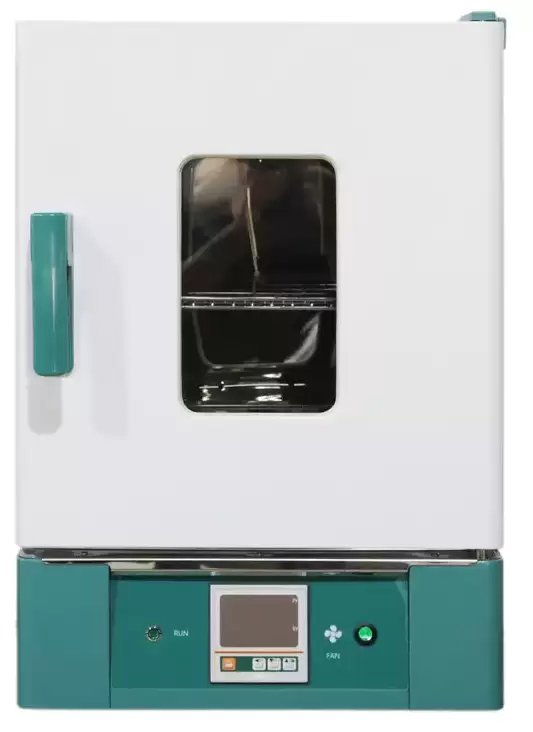
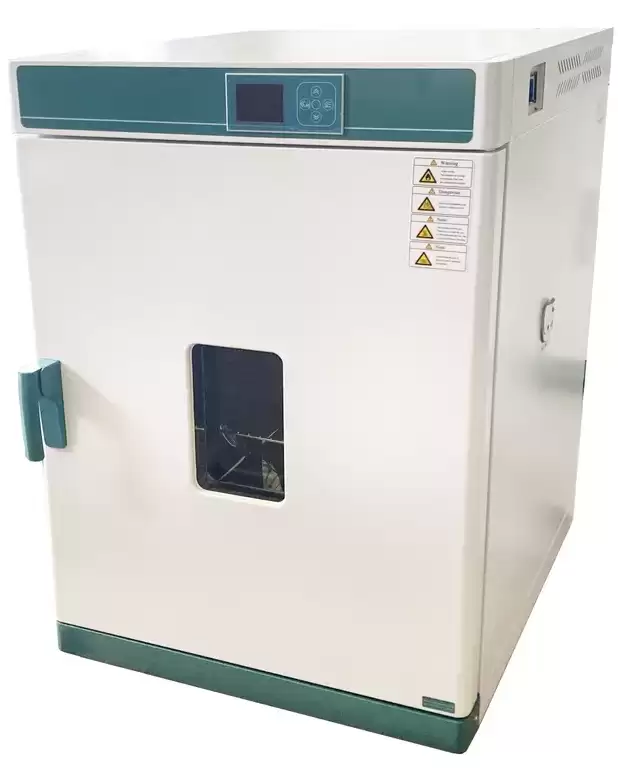
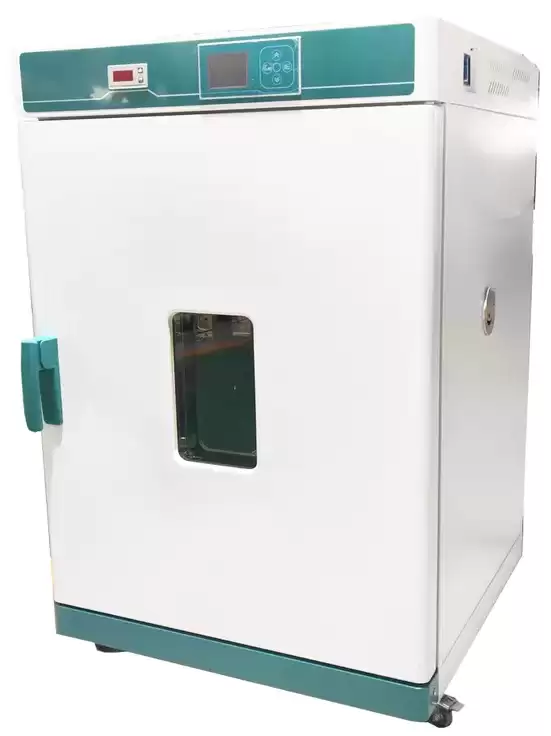
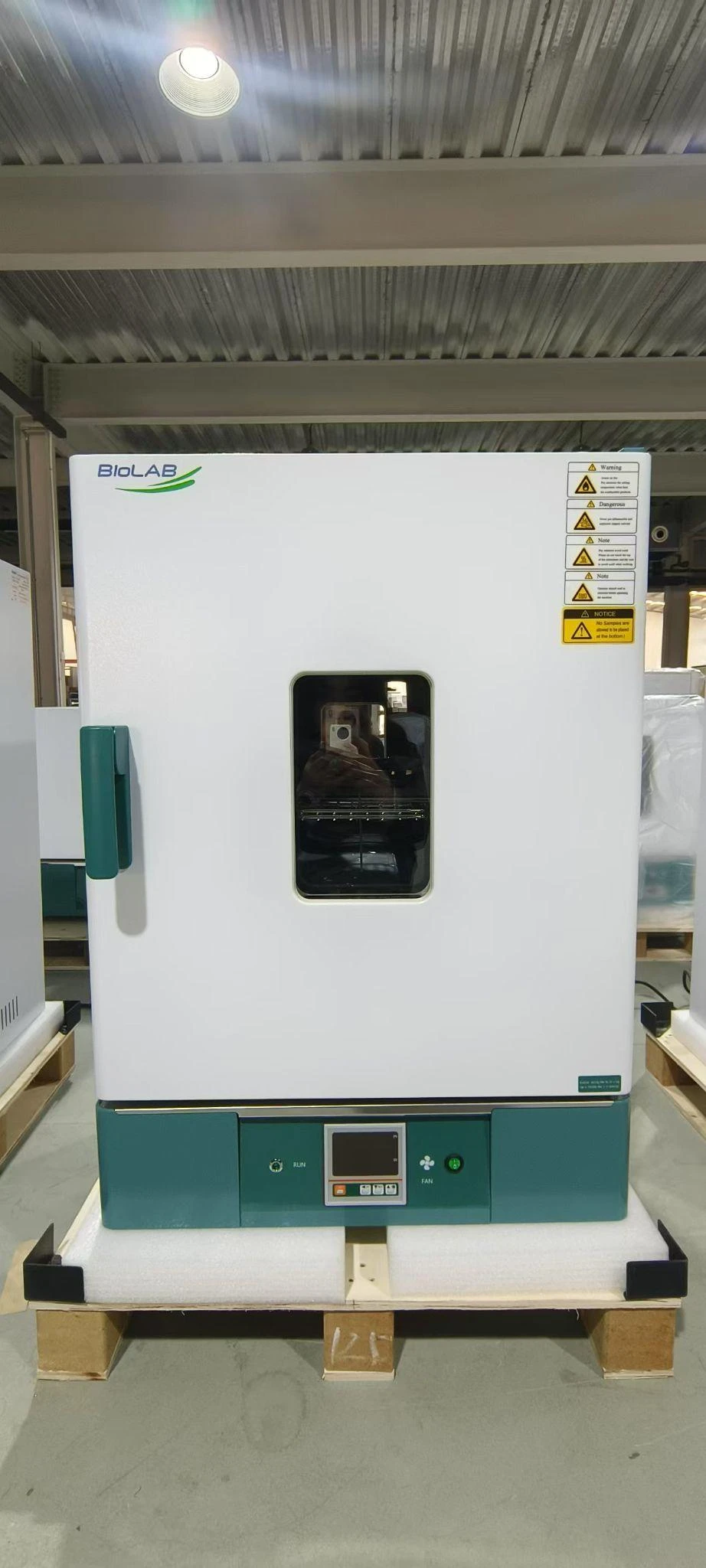
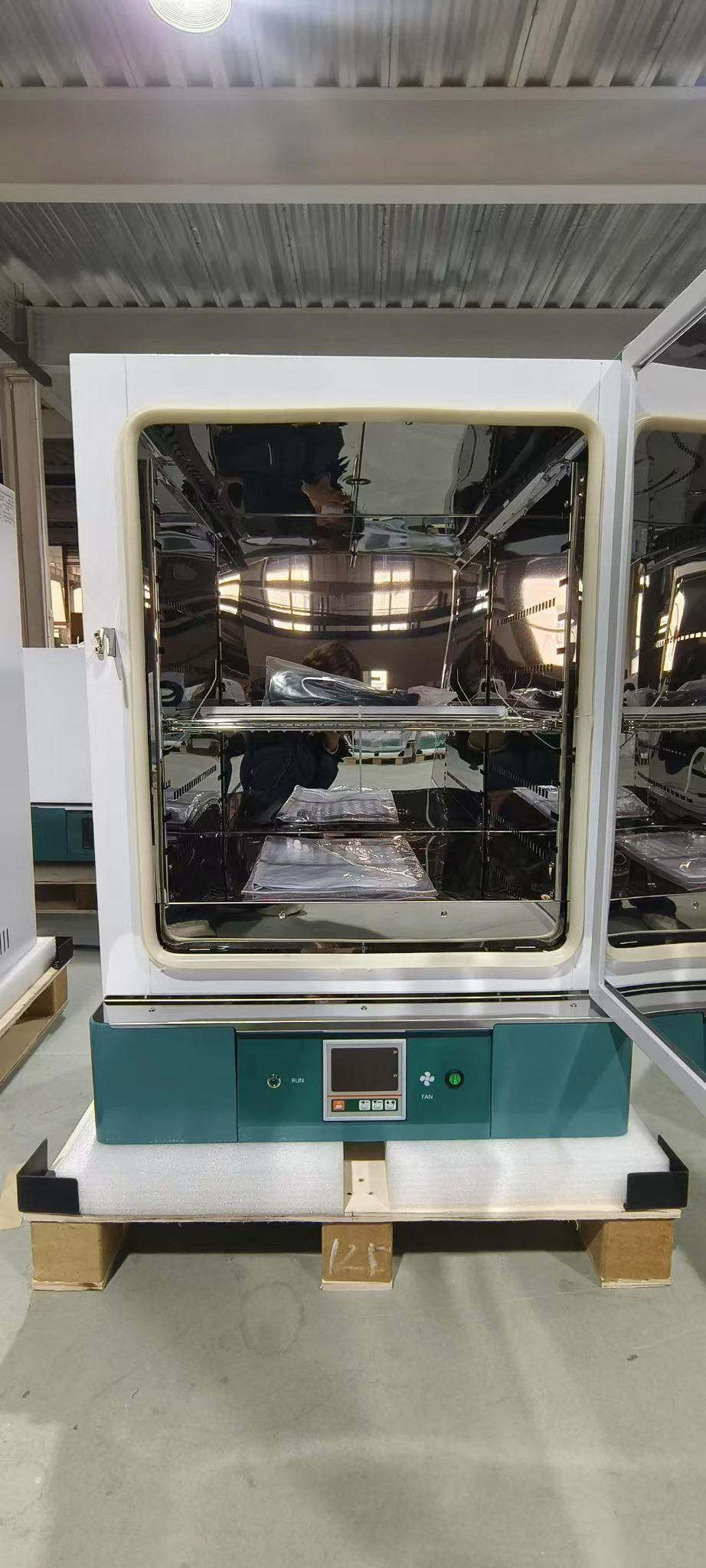
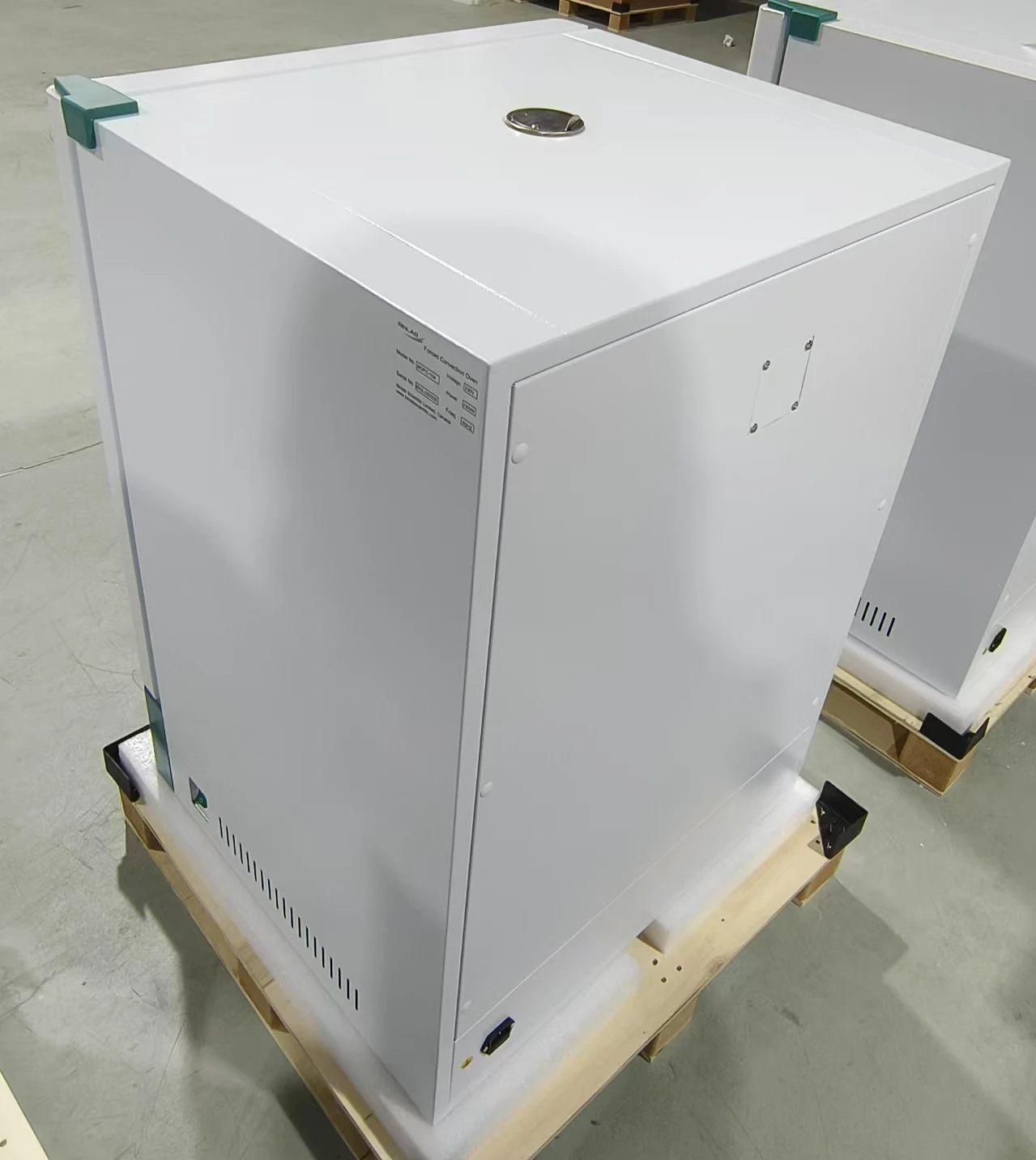
Forced Convection Oven BER1B5 (BOFC-104)
Forced Air Drying Oven- Sea, Air, Door to Door Shipping
- 1 Year Warranty
- US & European Standards

Specifications
| Model | BER1B5 |
| Cycle Mode | Forced convection |
| Function | |
| --Temp. Range | RT+10-300°C |
| --Temp. Resolution Ratio | 0.1°C |
| --Temp. Motion | ±1°C |
| --Temp. Uniformity | ±2.5% |
| Structure | |
| --Inner Chamber | Mirror Stainless Steel |
| --Quter Shell | Cold rolling steel electrostatic spraying exterior |
| --Insulation Layer | High quality rock wool board(with CE) |
| --Heater | Stainless steel heater |
| --Power Rating | 2.3kW |
| --Exhaust Hole | Φ 35mm top(with function of test hole) |
| Controller | |
| --Temp. Control Mode | Two temperature section PID intelligent |
| --Temp. Setting Mode | Touch button setting |
| --Temp. Display Mode | Measuring temperature: display on the four digital tubes upper row, setting temperature: display on the lower row |
| --Timer | 0-9999min(with timing wait function) |
| --Operation Function | Fixed temperature operation, timing function, auto stop. |
| --Additional Function | Sensor deviation correction, temperature overshoot self-tuning, internal parameter locking, power-off parameter memory |
| --Sensor | PT100 |
| --Safety Device | Over temperature sound-light alarm; |
| Specification | |
| --Inner Chamber size(W*L*H)(mm) | 500*450*550 |
| --Exterior Size (W*L*H)(mm) | 640*640*930 |
| --Packing Size (W*L*H)(mm) | 710*730*1100 |
| --Volume | 125L |
| --Max. Shelf Number | 11 |
| --Load Per rack | 15kg |
| --Shelf Space | 40mm |
| --Power Rating (50/60HZ) | AC220V/10.5A |
| --NW/GW (kg) | 60/66 |
| Accessory | |
| --Shelf | 2 |
| --Shelf Frame | 4 |
| Optional accessories | Spare shelf |
Features
1. Horizontal air circularly by double air ducts, high efficiency and high uniformity.2. PID controller, with over-temperature protection function.
3. With fan switch,LED digital display,high temperature blast motor.
4. New anti-hot handle.
Applications
Used for drying, baking, wax, heat treatment.Photos
Operating Manual
Download1. Safety warning before use
2. Main features of product
3. Technical specification
4.Instrument operation and display instructions
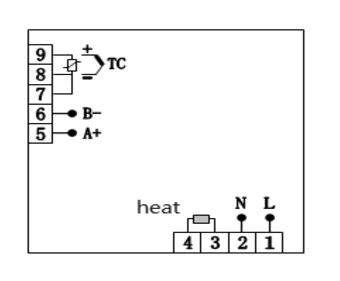
5. Instrument wiring diagram
6. General faults and troubleshooting methods
1. Safety warning before use

1. Do not store volatile, flammable, or explosive materials in this device, as it may cause explosions or fires.
2. Do not place this device in a place that is exposed to rain, moisture, or may splash water, otherwise it may cause accidents such as leakage, short circuit, or electric shock.
3. Non professional technicians are not allowed to disassemble, repair, or modify equipment, otherwise improper operation may cause fire or electric shock accidents to personnel.
Must comply with items

1. This device should be installed on a solid ground. If the ground is not solid enough or the installation location is not suitable, personnel may be injured due to equipment overturning.
2. Please use the dedicated power supply indicated on the nameplate of this device, and the power socket must be grounded. This device must be reliably grounded to prevent accidental electrical leakage that may cause electric shock or fire.
3. Before carrying out any repairs or maintenance on this equipment, be sure to disconnect the power supply to prevent electric shock or personal injury.
4. When repairing or maintaining equipment, it is necessary to wear gloves to prevent personal injury caused by touching edges or sharp corners.
5. If any abnormalities are found in the operation of the device, immediately unplug the power plug and stop the device from running. Operating under abnormal conditions may cause electric shock or fire。
2. Main features of product
1. Unique vertical dual duct circulating horizontal air supply, high drying efficiency, and uniform temperature distribution in the studio.
2. Standard fan switch, high brightness LED instrument operation indicator light, and high-temperature resistant blower motor.
3. Adopting a new type of anti scald handle, the studio adopts high-quality mirror stainless steel processing to form, and the four corner arc transition is easy to clean.
4. The LCD screen of the temperature controller displays and drives the solid-state relay output to control heating, making it safer and more reliable.
5. A 4-speed 3-speed speed adjustable fan can adjust the required air volume according to different experimental requirements of users, thereby drying various types of samples.
6. Independent over temperature protection system: When the temperature in the studio exceeds the set alarm value of the instrument, the bright LED red alarm light will light up and cut off the main heating circuit, improving the safety of product use.
7. Independent temperature limiter: Digital electronic temperature limiter, set to limit the temperature of the studio, providing dual safety protection for the product.
3. Technical specification
Model | BER1B1 | BER1B2 | BER1B3 | BER1B5 | |
Cycle Mode | Forced convection | ||||
Function | Operating temperature range | RT+10-300°C | |||
Temperature resolution | 0.1°C | ||||
Temperature fluctuation | ±1°C | ||||
Temperature distribution accuracy | ±2.5% | ||||
Structure | studio | Mirror stainless steel studio | |||
Shell | Cold rolled steel plate, surface electrostatic spraying, 304: SUS304 embossed stainless steel shell | ||||
Insulation layer | High quality rock wool board (with CE certification) | ||||
heater | Stainless steel electric heating tube | ||||
Rated power | 0.8kW 1.2kW 1.6kW 2.0kW 2.3kW | 0.8kW 1.2kW 1.6kW 2.0kW 2.3kW | 0.8kW 1.2kW 1.6kW 2.0kW 2.3kW | 0.8kW 1.2kW 1.6kW 2.0kW 2.3kW | |
Exhaust hole | Φ 35mm top (with testing hole function) | ||||
Controller | Temperature control method | Dual temperature intelligent | |||
Temperature setting method | Touch type button settings | ||||
Temperature representation method timer | Type B: Temperature measurement with four digit digital display on the upper row, setting temperature with four digit digital display on the lower row | ||||
BE type: Temperature measurement displayed on the upper part of the LCD screen, set temperature displayed on the lower part of the LCD screen | |||||
Running functions | 0-9999 minutes (with timed waiting function) | ||||
Additional features | Fixed value operation, timed operation, automatic stop | ||||
sensor Operating temperature range | Type B: Sensor deviation correction, temperature overshoot self-tuning, internal parameter locking, power-off parameter memory | ||||
BE type: new digital temperature limiter, 4-speed 3-speed speed regulation fan (both 230 and 625 models have no fan speed regulation), sensor deviation correction, temperature overshoot self-tuning, internal parameter locking, and power-off parameter memory | |||||
Temperature resolution | pt100 | ||||
Safety device | Type B: Over temperature sound and light alarm | ||||
BE type: high-precision digital independent temperature limiter, with overtemperature sound and light alarm | |||||
Accessories | Studio (width * depth * height mm) | 310*310*310 | 350*350*350 | 400*360*450 | 500*450*550 |
Appearance (width * depth * height mm) | 450*500*690 | 490*540*730 | 540*550*830 | 640*640*930 | |
Outer packaging (width * depth * height mm) | 540*575*855 | 580*615*895 | 635*625*995 | 710*735*1100 | |
Internal volume | 30L | 45L | 65L | 125L | |
Number of partition layers (maximum) | 5 | 6 | 8 | 11 | |
Partition load-bearing capacity | 15kg | ||||
Partition spacing | 40mm | ||||
Rated current of power supply (50/60Hz) | AC220V/3.6A | AC220V/5.5A | AC220V/7.2A | AC220V/10.5A | |
Net weight/gross weight (kg) | 33/37 | 37/43 | 44/49 | 60/66 | |
Accessories | Partition board | 2 | |||
Partition frame | 4 | ||||
Can add configurations | Type B: partition board; BE type: partition, RS485 interface, printer, program temperature controller, USB data storage, WIFI control module | ||||
4.Instrument operation and display instructions
Key Definition
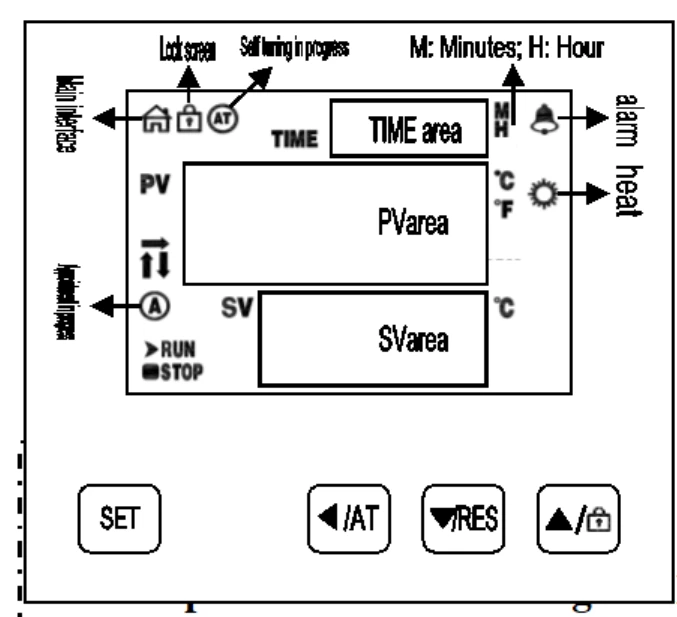
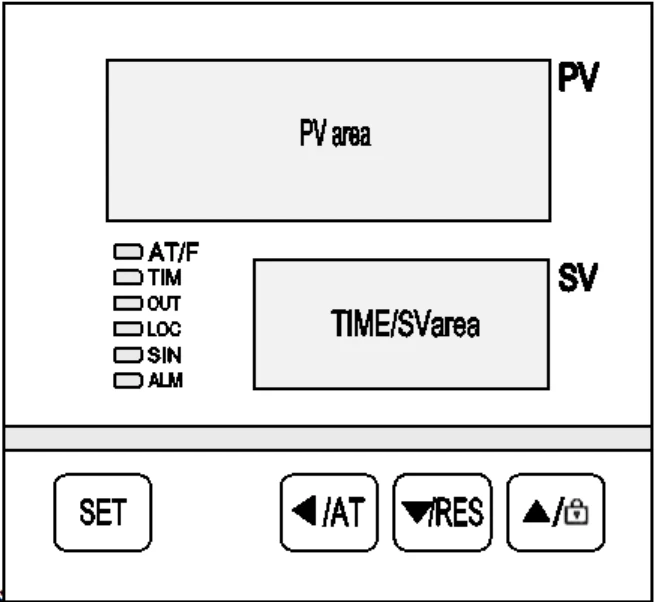
1. [SET]: Set button. When the main interface displays the status, click this button to enter the temperature and time target value setting state. Long press this button f
or 3 seconds to enter the internal parameter setting state.
2. [ ![1. [SET]: Set button. When the main interface displays the status, click this button to enter the temperature and time](https://biolabscientific.com/content/manual/20240912001/1.-SET-Set-button.-When-the-main-interface-displays-the-status-i6-Biolab.webp "1. [SET]: Set button. When the main interface displays the status") ]: Shift/self-tuning key. Clicking this key in the set state can cause the set value to shift and flash for modification.
]: Shift/self-tuning key. Clicking this key in the set state can cause the set value to shift and flash for modification.
In the main interface display state, long press this button for 6 seconds to enter the temperature self-tuning selection state.
3. [ ![1. [SET]: Set button. When the main interface displays the status, click this button to enter the temperature and time](https://biolabscientific.com/content/manual/20240912001/1.-SET-Set-button.-When-the-main-interface-displays-the-status-i7-Biolab.webp "1. [SET]: Set button. When the main interface displays the status")
![1. [SET]: Set button. When the main interface displays the status, click this button to enter the temperature and time](https://biolabscientific.com/content/manual/20240912001/1.-SET-Set-button.-When-the-main-interface-displays-the-status-i8-Biolab.webp "1. [SET]: Set button. When the main interface displays the status") ]: The decrease/rerun button can be used to decrease the set value by clicking or long pressing it in the set state.
]: The decrease/rerun button can be used to decrease the set value by clicking or long pressing it in the set state.
Press and hold this button for 3 seconds in the main interface and at the end of the run state to restart the operation.
4. [ ![1. [SET]: Set button. When the main interface displays the status, click this button to enter the temperature and time](https://biolabscientific.com/content/manual/20240912001/1.-SET-Set-button.-When-the-main-interface-displays-the-status-i9-Biolab.webp "1. [SET]: Set button. When the main interface displays the status") ]: Add/lock screen button, click or long press this button in the set state to gradually increase the set value.
]: Add/lock screen button, click or long press this button in the set state to gradually increase the set value.
If the lock screen function is selected, in the main interface display state, click this button to lock or unlock the screen.
Definition of LCD instrument indicator lights:
1. [Main interface] Indicator light: This light will light up in normal working state (not set state), and turn off in reverse.
2. [Lock] indicator light: It lights up in the lock screen state, and goes off in the opposite direction.
3. [AT] indicator light: During the temperature self-tuning process, this light flashes, otherwise it goes out.
4. [Alarm] Indicator light: When there is a temperature deviation alarm or abnormal temperature measurement, this light will turn on. When there is a temperature deviation alarm, this light will flash. Under normal conditions, this light will turn off.
5. [Heating] Indicator light: When there is heating output, this light will turn on, and vice versa, it will turn off.
6. [A] Indicator light: This light flashes during the reservation timing process, and goes off if not. 7. [RUN/STOP] indicator light: STOP will only light up after the timer ends, and RUN will light up in other states.
8. [↑/→/↓] Indicator lights: They flash respectively during heating, constant temperature, and cooling.
Definition of digital tube display type instrument indicator lights:
1. [AT/F] indicator light: This light comes on when the temperature unit is Fahrenheit, flashes during the temperature self-tuning process, and goes off in other states.
2. [TIM] indicator light: It lights up when there is a timing setting, flashes during the reservation timing process, and goes off when there is no timing function.
3. [OUT] indicator light: When there is heating output, this light will turn on, and vice versa, it will turn off.
4. [LOC] indicator light: lights up in lock screen mode, otherwise goes off.
5. [SIN] indicator light: Invalid reservation.
6. [ALM] indicator light: When there is a temperature deviation alarm or abnormal temperature measurement, this light will turn on. When there is a temperature deviation alarm, this light will flash. Under normal conditions, this light will turn off.
2. Operation and usage methods
In the main interface display state, click the [Set] button to enter the temperature setting state. The PV area displays the prompt SP, and the SV area displays the temperature setting value. The desired setting value can be modified by using the [Shift], [Increase], and [Decrease] keys; Click the 【 Settings 】 button again to enter the time setting state. The PV area displays the prompt ST, and the TIME area displays the time setting value. Use the 【 Shift 】, 【 Increase 】, and 【 Reduce 】 keys to modify to the desired setting value; Click the [Settings] button again to exit this setting state, and the set values will be automatically saved.
Explanation: LCD type, "symbol" represents "time unit";
Digital type, with the symbol "TIME display area decimal point".
3. Reference and setting of internal temperature parameters
In the main interface display state, long press and hold the [Set] button for 3 seconds. The password prompt Lc will be displayed in the PV area, and the password value will be displayed in the SV area. Use [Increase], [Reduce], and [Shift] to modify the desired password value. Then click the [Set] button. If the password value is incorrect, the instrument will automatically return to the main interface display state. If the password value is correct, enter the internal parameter setting state, and click the [Set] button to modify each parameter in sequence. During this process, long press the [Set] button for 3 seconds to exit this state, and the parameter values will be automatically saved. Please refer to the table below for details:
Explanation: In the parameter table, the temperature setting value is abbreviated as SP, and the temperature measurement value is abbreviated as PV.
Parameter Table-1
Indicator | Parameter Name | Indicator | (Scope) Factory value |
Lc | password | When Lc=3, parameter values can be viewed and modified. | 0 |
ALH | Upper deviation | When PV>SP+ALH, there is an upper deviation over temperature alarm. | (0~100.0°C) 20.0 |
ALL | Over temperature alarm | When PV | (0~100.0°C) 0 |
Pb | Lower deviation | Explanation: When ALL=0, the lower deviation alarm is invalid. | (-50.0~50.0°C) 0 |
PL | Over temperature alarm | Used to correct errors generated during temperature measurement. | (-999~999) 0 |
ndT | Correction of measurement temperature deviation | Pb=actual temperature value - PV | (0~2) 1 |
Tdn | Measurement temperature slope correction | Usually used to correct errors generated during high-temperature measurements. | (0~1) 0 |
Hn | Timing method | PL=1000 * (actual temperature value - PV) ÷ PV | (0~1) 0 |
SPd | Timing direction | Explanation: When En=1 in Parameter Table-4, | (0.1~50.0°C) 0.5 |
EST | Timing unit | This feature is invalid. | (0~9999) 60 |
EH | Constant temperature deviation | 0: No timing; 1: Constant temperature timing; 2: Run timing | (0~1) 0 |
LF | Timed end | 0: Positive timing; 1: Countdown | (0~2) 0 |
LdT | Prompt time | 0: minutes; 1: Hour | (10~600s) 30 |
PAd | Timed end | When SP SPd ≤ PV ≤ SP+SPd, | (0~9999) 1 |
Add | Constant temperature control | Enter a constant temperature state. | (1~32) 1 |
Parameter Table -2
Indicator | Parameter Name | Indicator | (Scope) Factory value |
Lc | password | When Lc=567, parameter values can be viewed and modified. | 0 |
rST | factory reset | 0: Cancel; 1: Confirm. | (0~1) 0 |
5. Instrument wiring diagram
6. General faults and troubleshooting methods
Fault phenomenon | Fault inference | Fault handling methods |
No display on startup The measured temperature is higher than the set temperature or the instrument enters a high temperature alarm state After turning on, the temperature does not display and does not rise Fault phenomenon | Power supply not connected | Check for voltage in the power socket |
The power plug is not properly plugged in | Check if the contact between the power plug and the socket is reliable | |
The power switch is not turned on | Turn on the power switch on the right side of the instrument | |
The fuse on the box is damaged | Replace the power fuse with the same specification | |
No display on startup The measured temperature is higher than the set temperature or the instrument enters a high temperature alarm state | The box door is not tightly closed | Close the box door tightly |
The instrument has not yet entered a constant temperature state | Wait for a moment before making an observation | |
After turning on, the temperature does not display and does not rise | The power cord is not properly plugged in | Insert the power cord properly |
Sensor malfunction | Notify the factory for repair | |
The heater is broken | Notify the factory for repair |